Google My Maps Export to GeoJSON and Which Styles Survive
Google My Maps is where a lot of maps start: a school trip, a list of venues, a delivery route, built by someone who never opened a GIS. When the map needs to go somewhere else, My Maps exports it as KML or KMZ. Each layer becomes a folder, the colour and icon of every pin becomes a pair of styles, and the table of extra fields becomes ExtendedData.
Then someone converts that to GeoJSON for a website, and the map comes out grey.
What’s in the Export
$ ikml inspect field-trip.kml
field-trip.kml
  Format:       KML, 3.4 KiB
  Namespace:    http://www.opengis.net/kml/2.2
  Placemarks:   3
  Geometry:     1 LineString, 2 Point
  Coordinates:  6
  Extent:       lon 35.2134 to 35.2291, lat 31.7767 to 31.7801
  Folders:      3
  Styles:       4 Style, 2 StyleMap

Structure:
    Document Field trip 2026
      Folder Meeting points: 2 placemark(s); 2 Point
      Folder Routes: 1 placemark(s); 1 LineString

Attribute fields:
  contact                  2 placemark(s) (Data)
  capacity                 2 placemark(s) (Data)
  length_km                1 placemark(s) (Data)

Styles:
  Style    #icon-1899-0288D1-normal used by 0: icon https://www.gstatic.com/mapspro/images/stock/503-wht-blank_maps.png, label
  Style    #icon-1899-0288D1-highlight used by 0: icon https://www.gstatic.com/mapspro/images/stock/503-wht-blank_maps.png, label
  StyleMap #icon-1899-0288D1     used by 2: normal #icon-1899-0288D1-normal, highlight #icon-1899-0288D1-highlight
  Style    #line-E65100-3000-normal used by 0: line
  Style    #line-E65100-3000-highlight used by 0: line
  StyleMap #line-E65100-3000     used by 1: normal #line-E65100-3000-normal, highlight #line-E65100-3000-highlight

Issues:
  INFO    remote-ref  Style 'icon-1899-0288D1-normal' (line 12)
          2 references to files on www.gstatic.com, first here. They load from the
          internet and are not inside the file.

0 error(s), 0 warning(s), 1 note(s).
Two layers, three placemarks, three custom fields. Each style comes as a pair, a normal and a highlight version joined by a StyleMap, which is how My Maps changes a pin when you hover over it. The icons are pictures on Google’s servers, which iKML notes: they’ll load only while those addresses keep working.
What the Conversion Keeps
$ ikml convert field-trip.kml field-trip.geojson --report
Converted field-trip.kml (kml) to field-trip.geojson (geojson, 768 bytes).

What changes from kml to geojson:

  [CHANGED] Styles and colors (3)
    GeoJSON has no styling. 3 placemarks use 2 shared styles. iKML keeps
    line color and width, fill color and opacity, and marker color as
    simplestyle-spec properties (stroke, stroke-width, stroke-opacity, fill,
    fill-opacity, marker-color) for 3 of them. Mapbox, geojson.io and GitHub
    read these; most other tools ignore them.

  [LOST] Style details with no GeoJSON equivalent (3)
    These have no simplestyle-spec property and are dropped: icon images (2
    placemarks), icon hotspots (2), label color and scale (2), highlight
    styles from 2 StyleMaps.

  [KEPT] Folder structure (2)
    GeoJSON is a flat list of features, so 2 folders are flattened. iKML
    keeps each placemark's folder path in a "folder" property (for example
    "Survey / Gates"), and converting back to KML rebuilds the folders.

  [LOST] Folder and document descriptions (1)
    Descriptions on folders and documents have no place in GeoJSON.

  [KEPT] Attribute data (ExtendedData) (5)
    5 ExtendedData values become feature properties.

  [KEPT] Descriptions (1)
    1 description is kept in a "description" property. 1 contains HTML,
    which stays HTML; GeoJSON viewers may show it as plain text.

  [LOST] Tessellate (1)
    Lines that follow the terrain are a KML display setting with no GeoJSON
    equivalent.

Before: 0 error(s), 0 warning(s). After: 0 error(s), 0 warning(s).
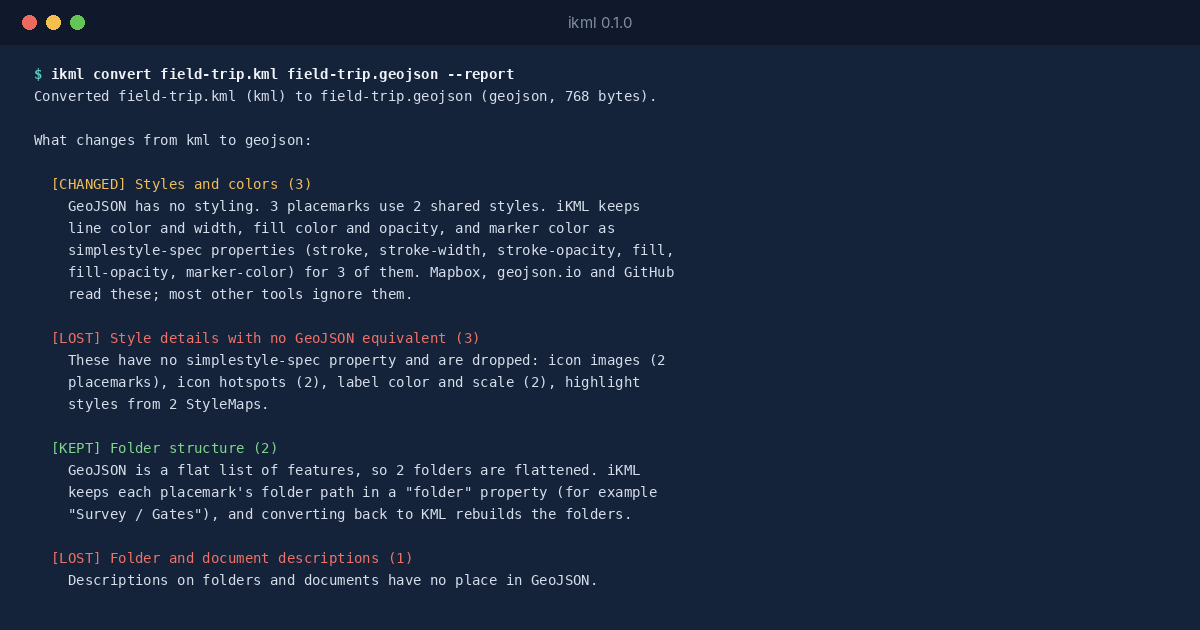
GeoJSON has no styling of its own, but there’s a widely read convention, Mapbox’s simplestyle-spec: properties named stroke, fill, marker-color and a few more. iKML writes those, so the route keeps its orange line and the pins keep their colour in tools that read the convention, such as geojson.io and GitHub’s map preview. The icon pictures and the hover styles have no equivalent, and the report says so.
The layers become a folder property on each feature, and the custom fields become ordinary properties, which is usually what a website wants.
Before You Publish It
If the map is going on a public website, read the descriptions first. My Maps descriptions often hold phone numbers and notes meant for the group, and a conversion carries every one of them into the GeoJSON. ikml inspect lists the attribute fields, so you can see what’s in there before it goes online.